Changelogs
Stay up to date with the latest changes and enhancements.
Stay up to date with the latest changes and enhancements.

16. Feb 2026
Share
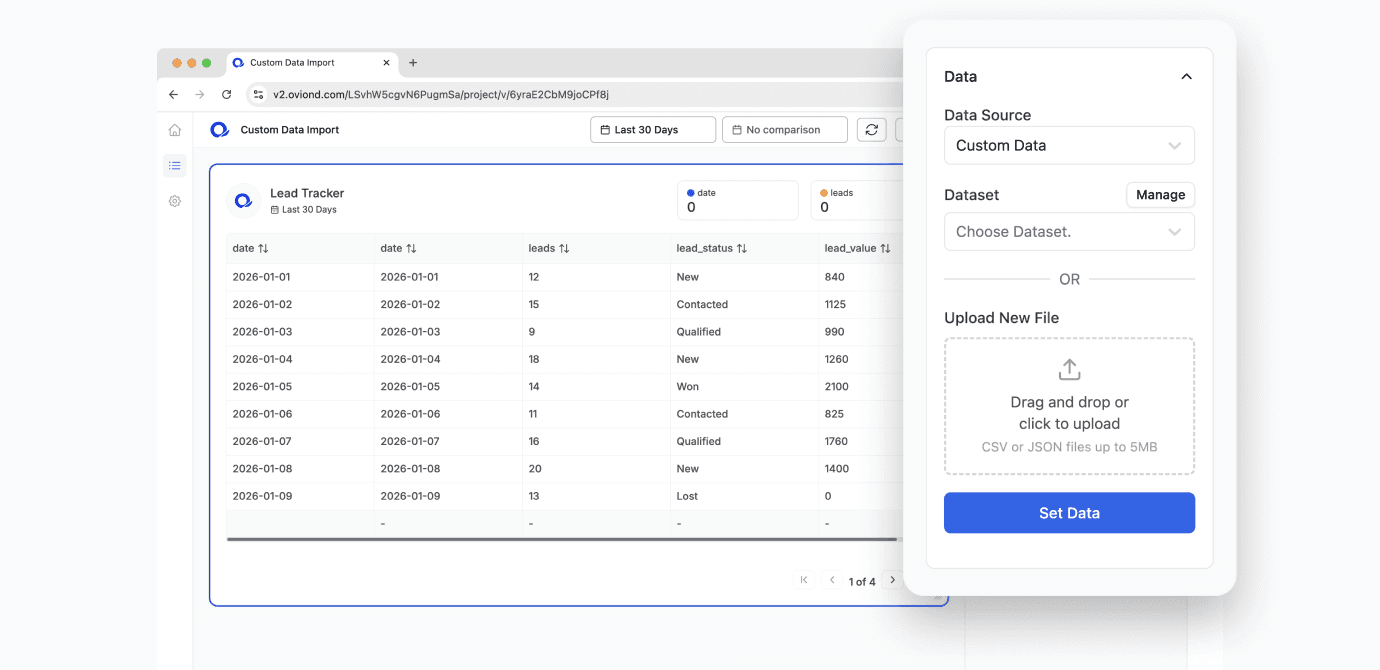
You can now import your own custom data directly into Oviond.
From Data Sources, select a data source and choose the new custom import option. Simply drag and drop a CSV or text file to upload your data. Once imported, you can:
Save the data source and reuse it in future reports
Edit the data directly in a spreadsheet-style view
Use the data in any Oviond chart type
This gives you full flexibility to report on metrics that aren’t available through native integrations. Whether it’s internal sales data, offline conversions, projections, or custom calculations, you can now visualise it alongside your other marketing data in one place.
You’re no longer limited to connected platforms. If you can format it in a CSV or text file, you can report on it in Oviond.