Registro de cambios
Mantente al día con los últimos cambios y mejoras.
Mantente al día con los últimos cambios y mejoras.

19. Nov 2025
Compartir
We’ve completely redesigned how custom metrics work in Oviond—making them easier to build, manage, and reuse across your entire account.
What’s New:
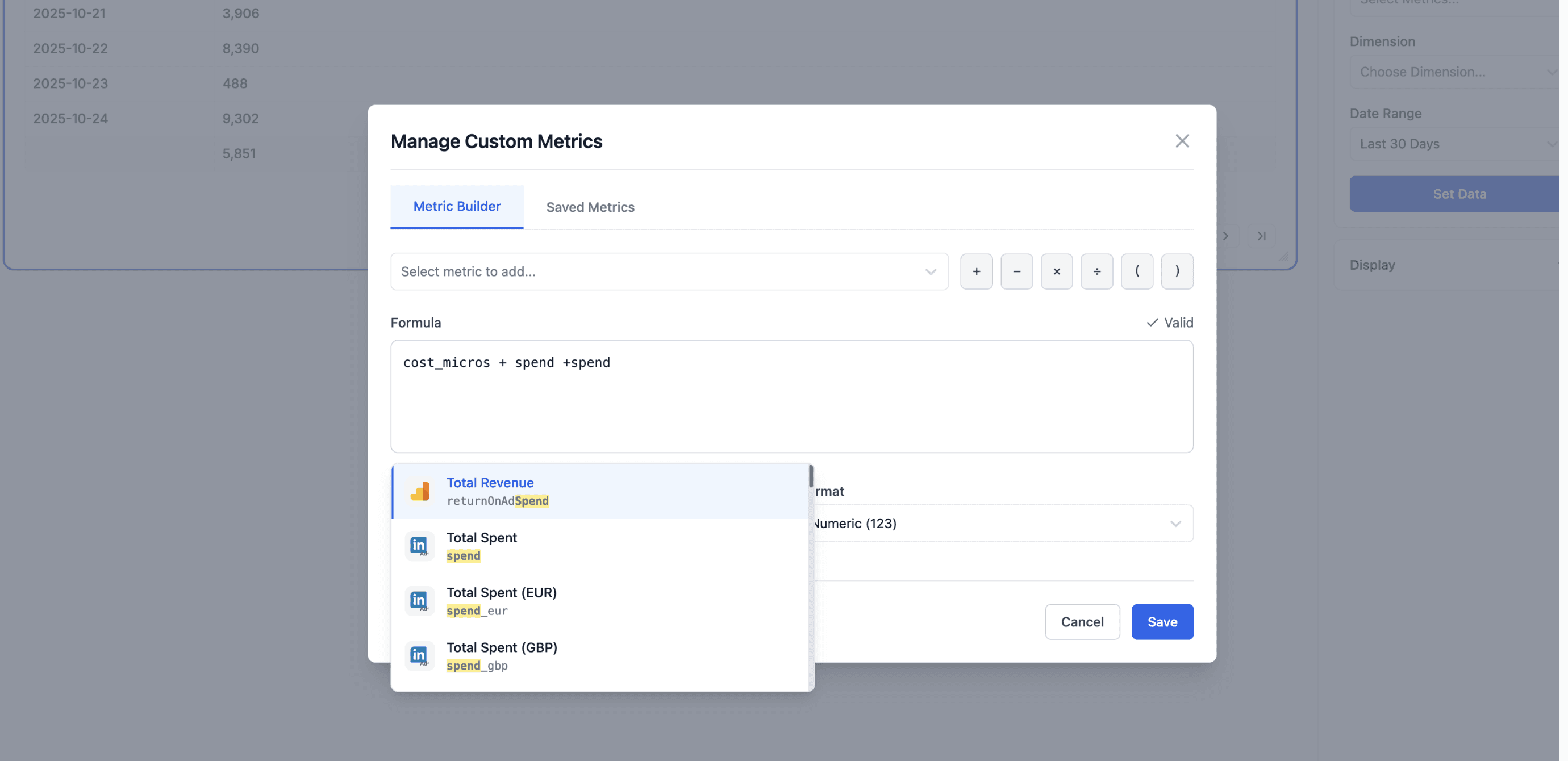
You now manage all custom metrics from a dedicated Manage screen inside the Query Builder. This screen includes:
Builder: Create and validate new metrics.
Saved Metrics: View, edit, duplicate, or delete any metric in your account.
Custom metrics are now account-wide. Create a formula once and use it across:
Any project
Any widget
Any Query Builder instance
No more recreating the same metric for different reports.
The Builder lets you:
Write formulas using fields from any connected integration
Get real-time validation (green highlight = valid)
Name and format your metric (number, currency, %, etc.)
Save it for instant reuse
From the Saved Metrics tab, you can manage all your metrics in one place. Any updates apply across your account automatically.
Once saved, a custom metric appears directly in the Query Builder and is immediately available for use. When added to a data widget, it renders like any standard metric.