Wijzigingslogboeken
Blijf op de hoogte van de laatste wijzigingen en verbeteringen.
Blijf op de hoogte van de laatste wijzigingen en verbeteringen.
14. Aug 2024
Delen
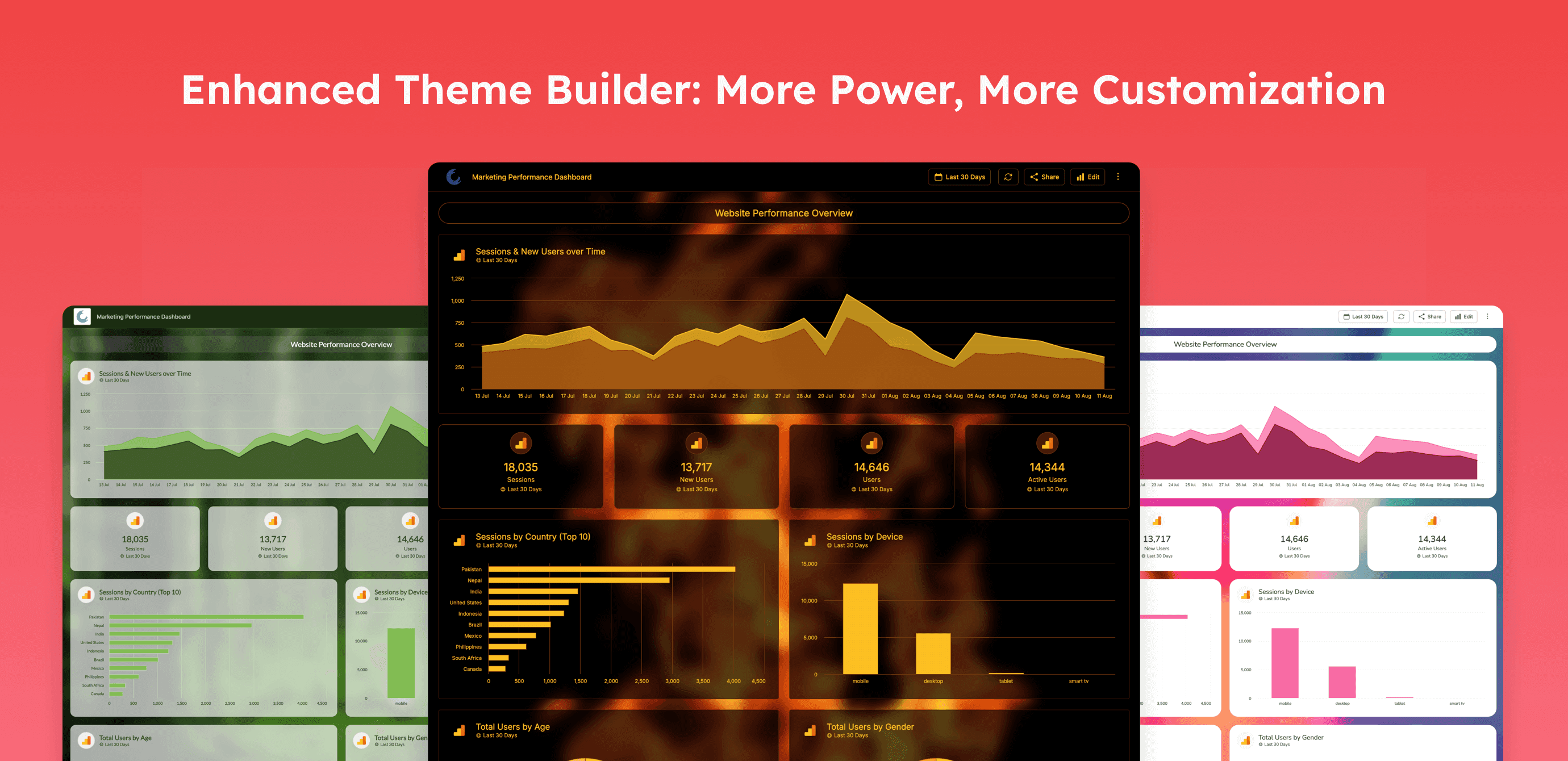
Oviond is excited to announce the latest update to our Theme Builder, designed to offer both intuitive ease of use and deep customization options for users creating their unique themes. This update, released on August 14, 2024, introduces a range of new features and enhancements aimed at improving the flexibility, efficiency, and overall design experience within the Oviond platform.
Try The New Theme Builder Now
Preview Feature: Users can now preview their themes in real-time before finalizing them, ensuring that their design vision aligns perfectly with the end result.
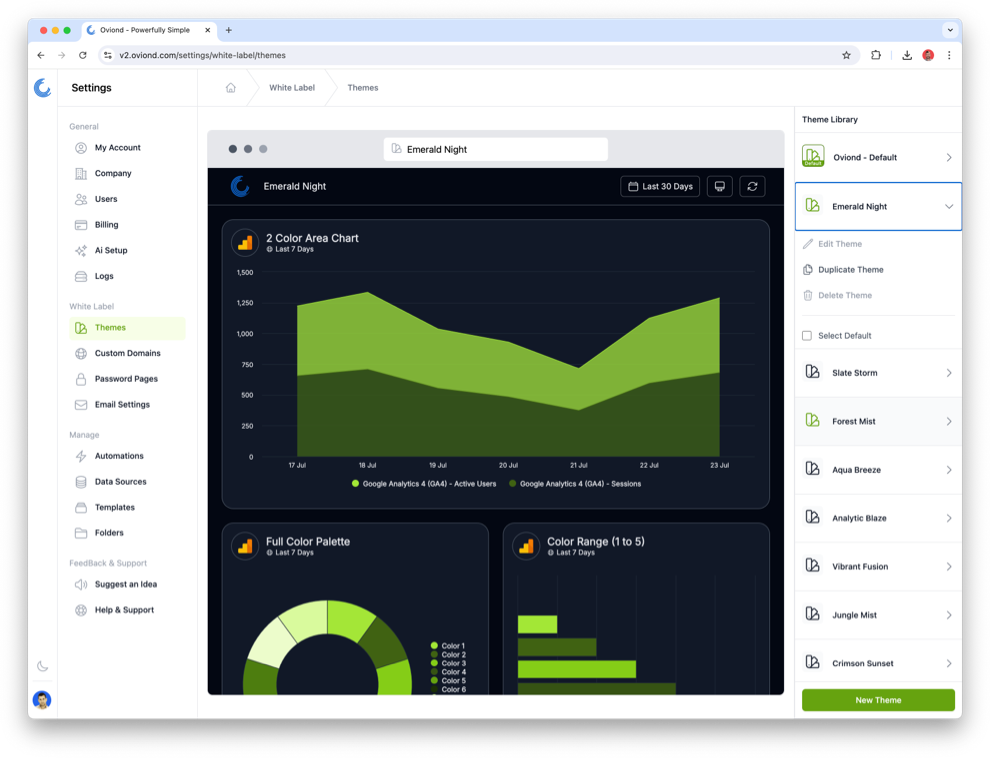
Global Settings: Quickly set up your themes by duplicating existing ones and making adjustments. Take advantage of pre-made color palettes that automatically generate high-contrast colors for charts and other visual elements.
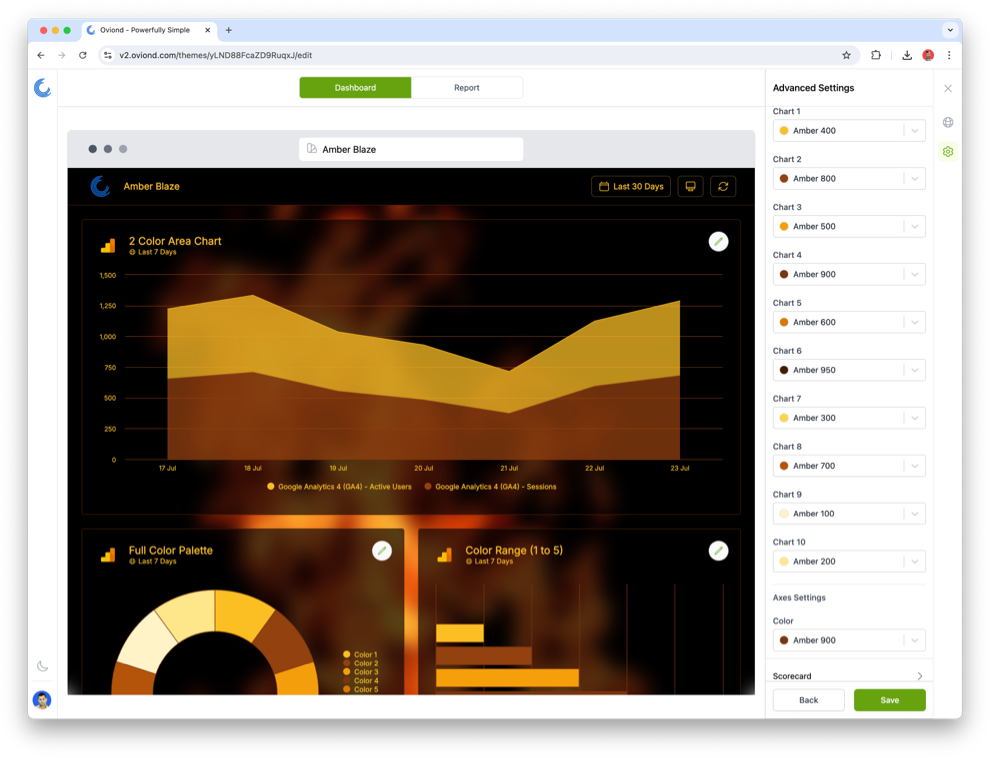
Advanced Settings: Gain detailed control over every aspect of your theme, including toolbars, canvases, backgrounds, and charts. Customize everything from colors to title widget styles (H1, H2, H3), text box elements, images, and button types.
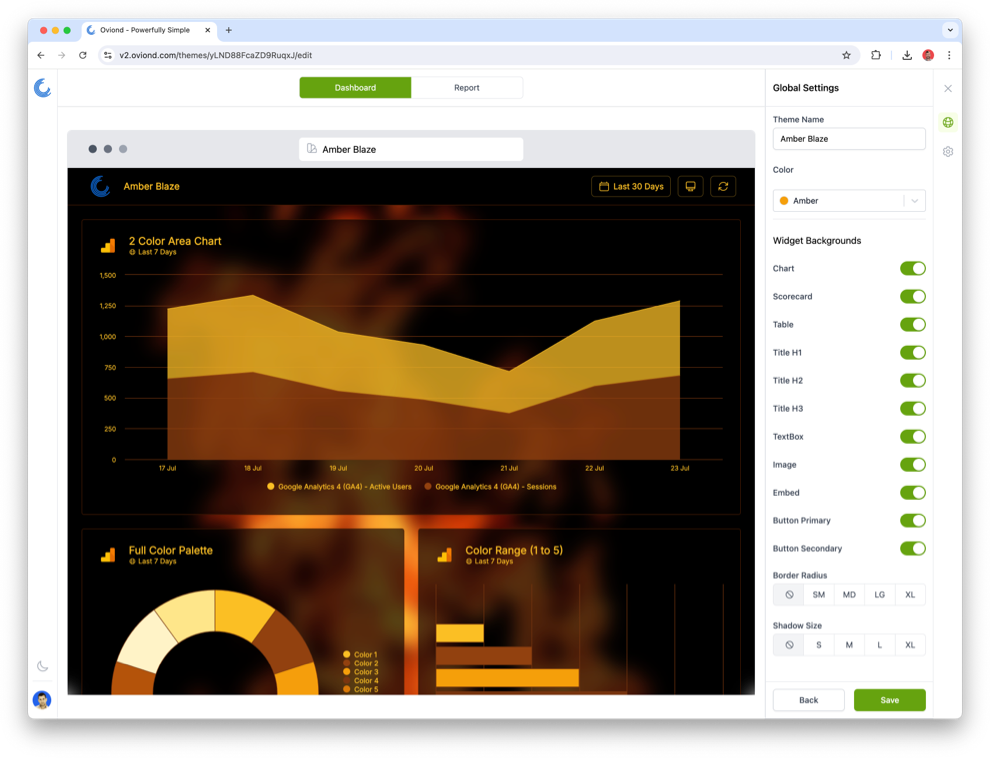
Custom Color Palettes: Input a custom color, and Oviond will automatically generate a matching color palette, ensuring a cohesive design throughout your theme.
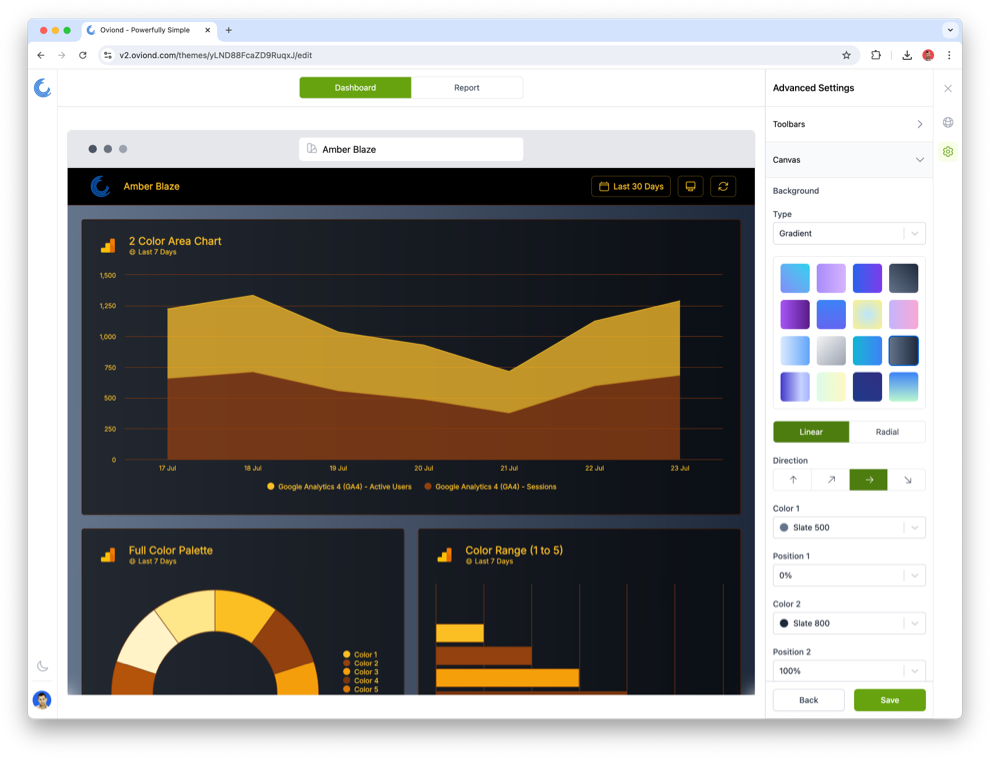
Enhanced Canvas Options: Users can now add images, gradients, solid colors, and even blur background images, providing more creative freedom in theme design.
Granular Control on Charts: Customize the appearance of charts, scorecards, tables, and more to ensure they seamlessly match your theme.
Title Widget Customization: Enjoy individual customization for H1, H2, and H3 title widgets, giving you more control over your theme's typography.
Dual Button Types: The introduction of primary and secondary buttons allows for greater design flexibility, enabling users to create more dynamic and engaging user interfaces.
Default Theme Setting: Once your theme is finalized, you can set it as the default for all new projects, ensuring brand consistency across your dashboard designs.
These updates are designed to enhance both the ease of getting a theme up and running and the level of customization available for users who need more detailed control. Whether you are looking for a quick setup with pre-made palettes or seeking granular control over every design element, Oviond’s Theme Builder now caters to all needs.