Changelogs
Stay up to date with the latest changes and enhancements.
Stay up to date with the latest changes and enhancements.
20. Aug 2024
Share
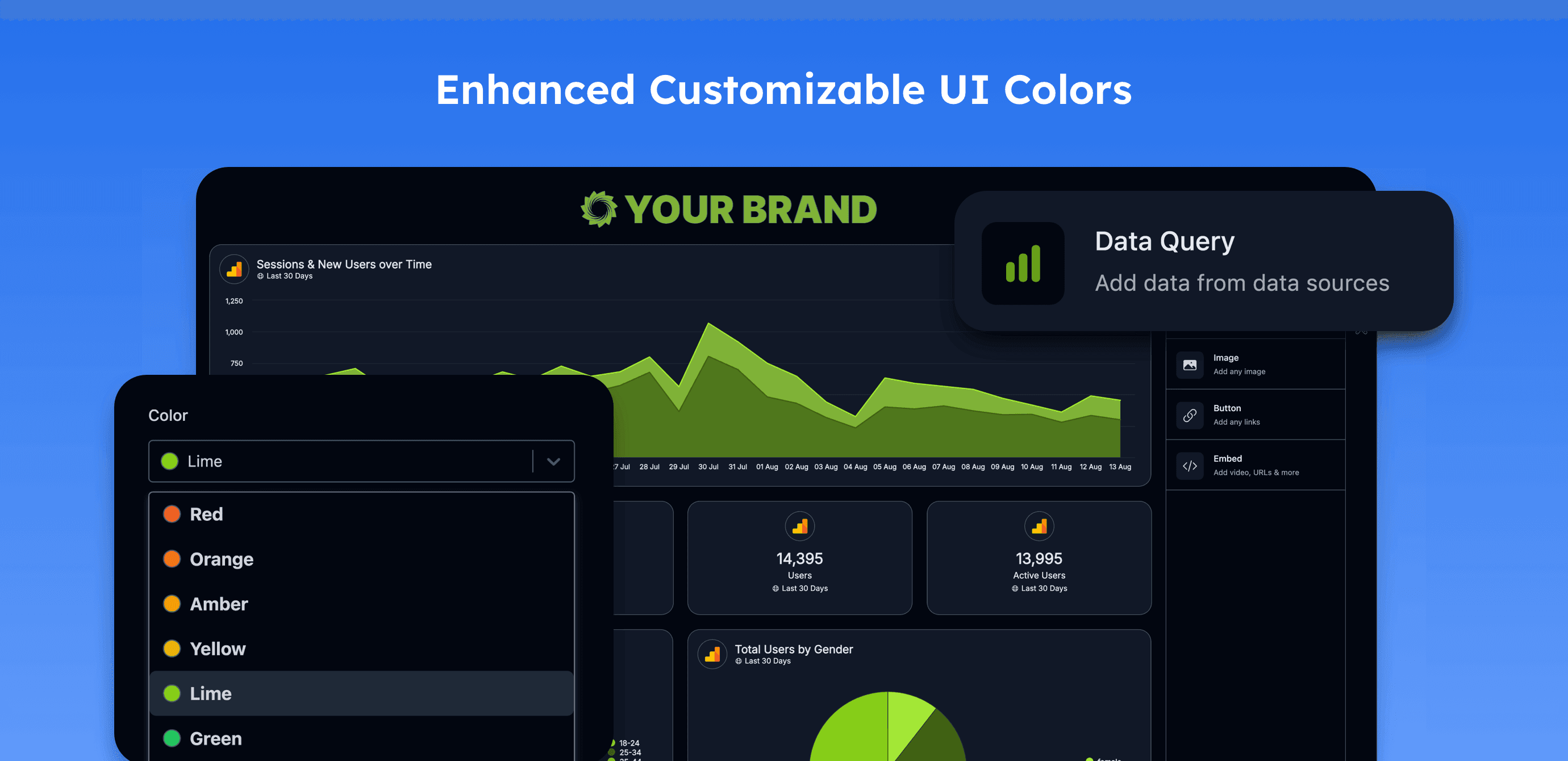
Introducing a seamless way to customize your Oviond account! With just one click, you can fully personalize your user interface colors, selecting from a range of pre-built palettes or creating custom colors that align with your brand. Oviond then automatically applies a cohesive color scheme throughout your account, ensuring a visually consistent and polished experience.
Start Customizing Your UI Now
Pre-built Interface Palettes: Select from a curated collection of professional color palettes.
Custom Color Creation: Design your own color palettes to align perfectly with your brand's visual identity.
Automatic Palette Generation: Oviond crafts a harmonious color scheme tailored to your selected or custom colors.
Theme Application: Apply your chosen color palette across the entire Oviond UI, with options for high contrast, dark mode, and more.
One-Click Activation: Easily implement and preview new themes directly from your company settings.
This feature is now live and available for you to explore. Head to your company settings today to activate the new interface color options and enhance your Oviond experience with a personalized touch.